Documentation article
Security Settings
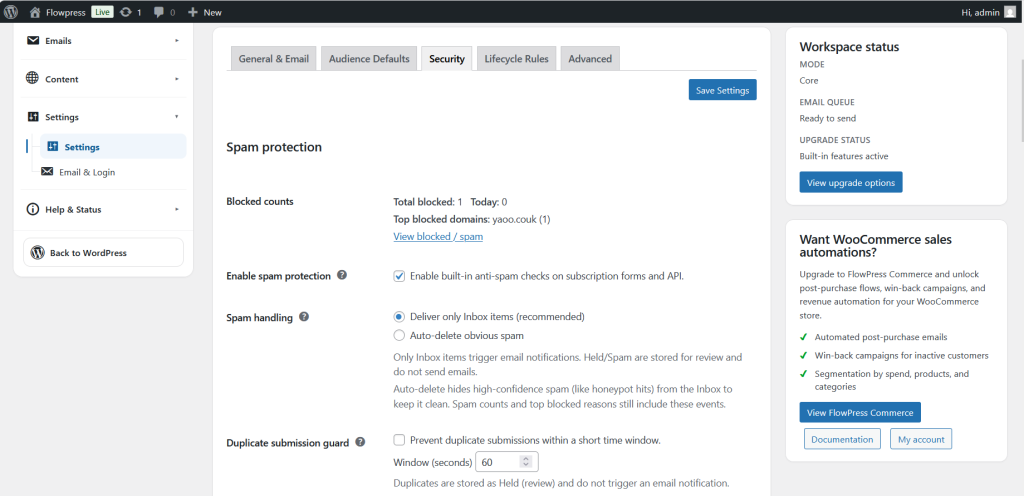
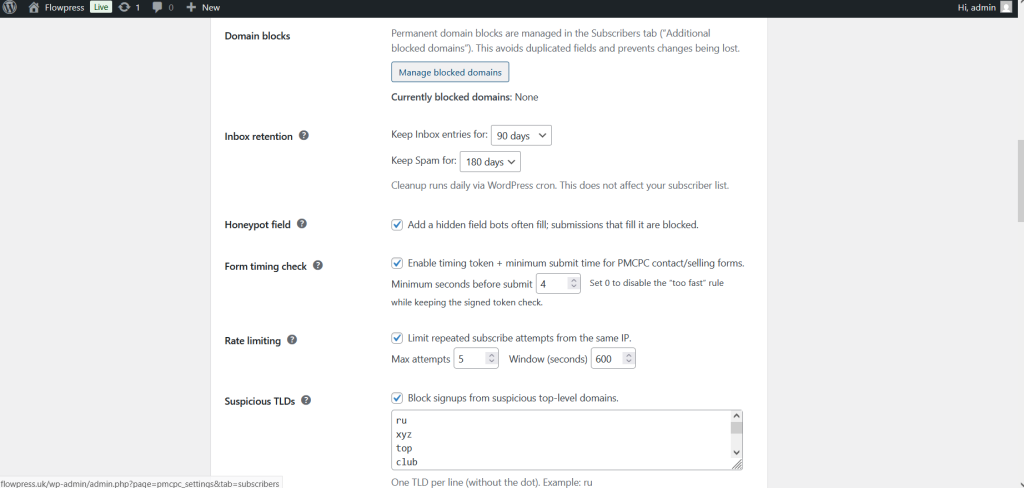
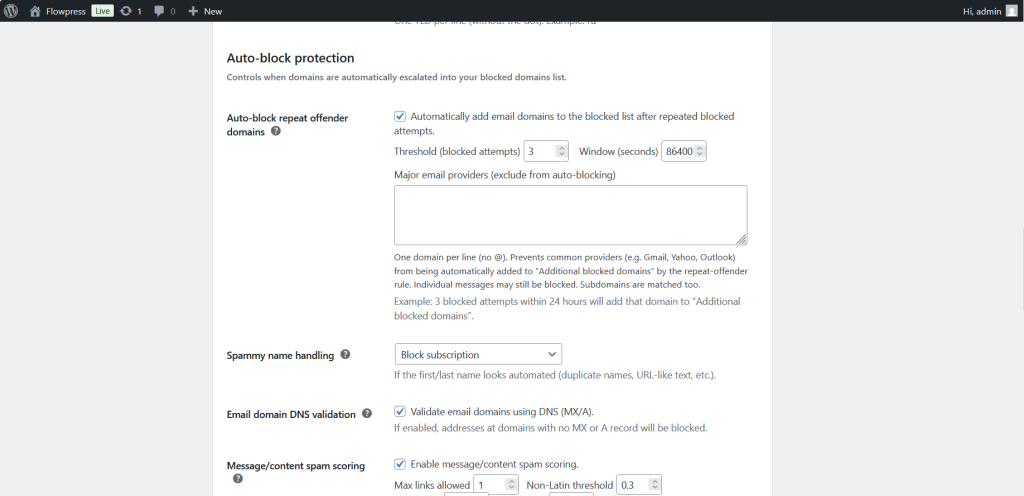
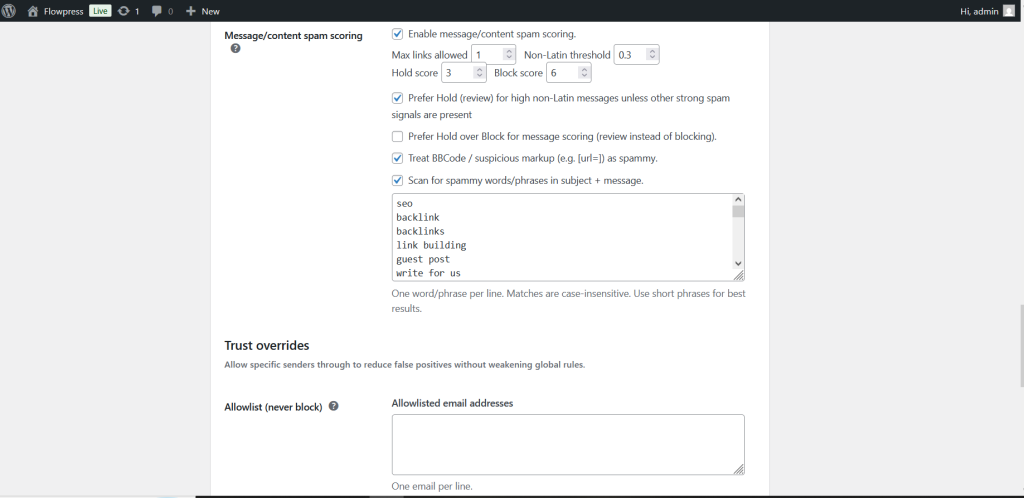
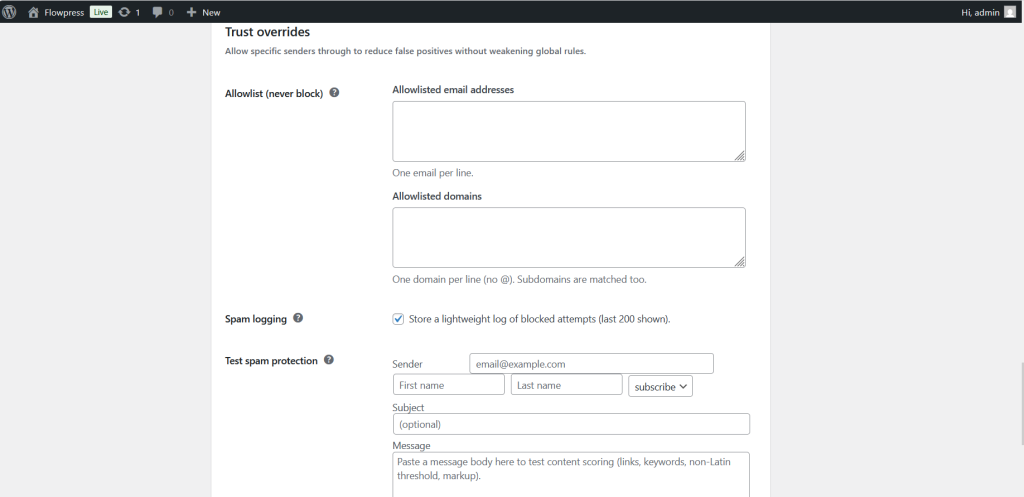
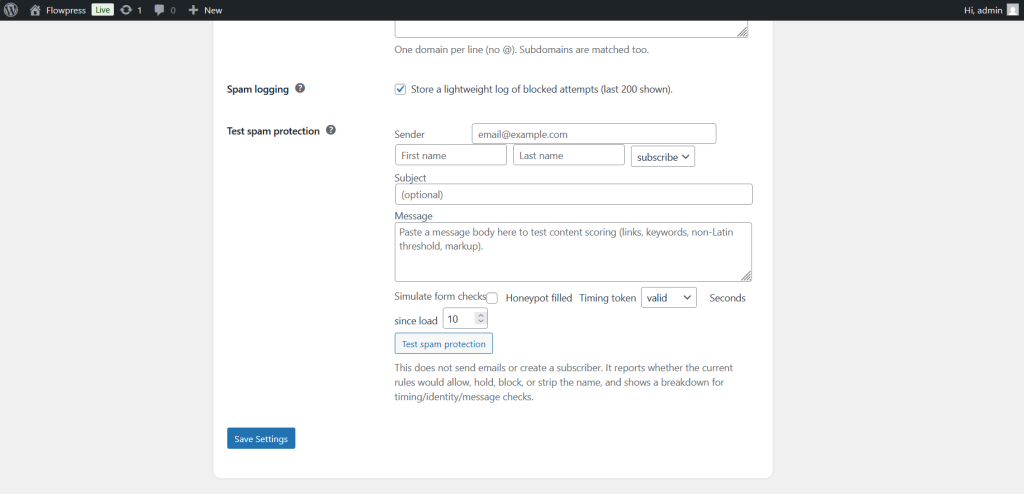
Security settings help protect FlowPress forms, admin actions and customer-facing workflows.
What this is for
Use Security Settings to review protection options before collecting subscribers or sending live campaigns.
How to use it
- Open FlowPress → Settings → Security.
- Review form protection, validation and access-related options.
- Enable the protections that match your website and spam risk.
- Save the settings.
- Test forms and admin workflows after making changes.
Useful tips
- Security options should reduce spam without blocking legitimate subscribers.
- After changing protection settings, test on the public website while logged out.
- Review security settings after installing new form, cache or security plugins.
Screenshots
Notes
- Security settings may interact with caching, firewall and anti-spam plugins.