Documentation article
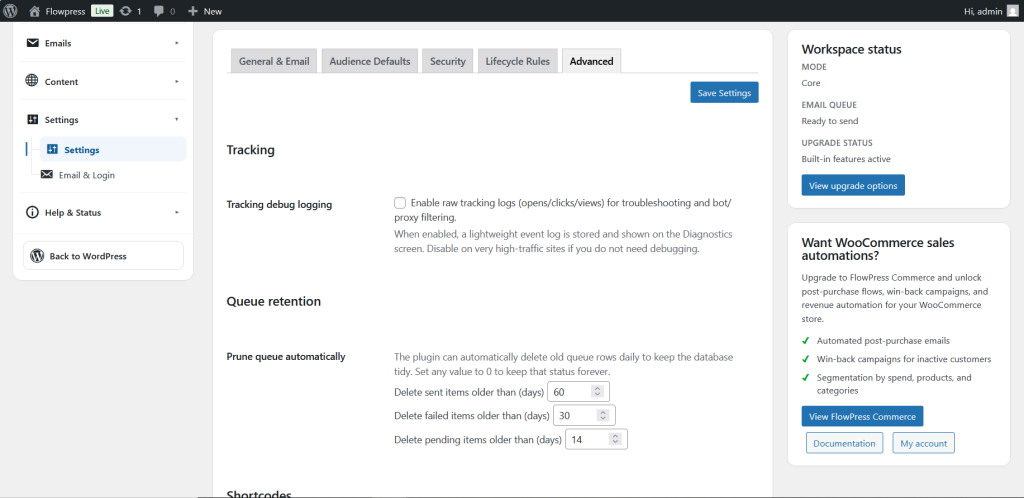
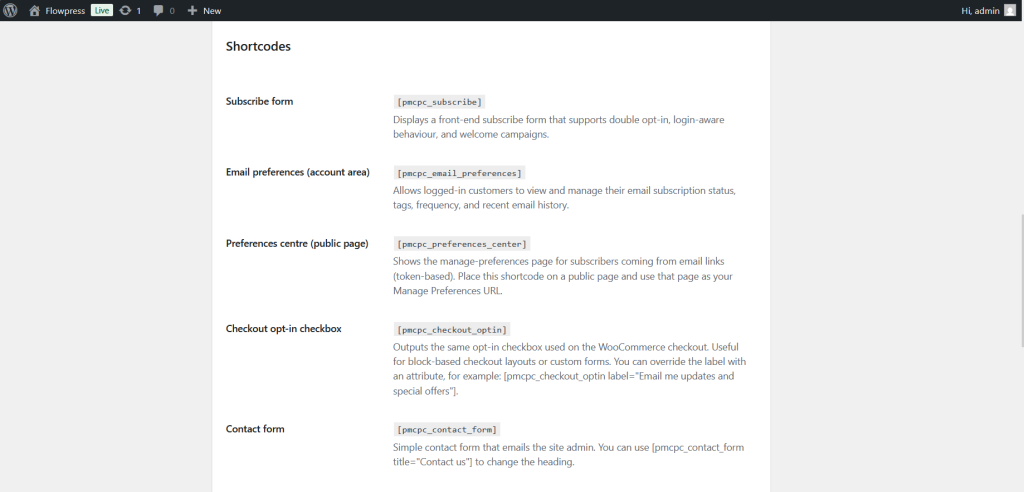
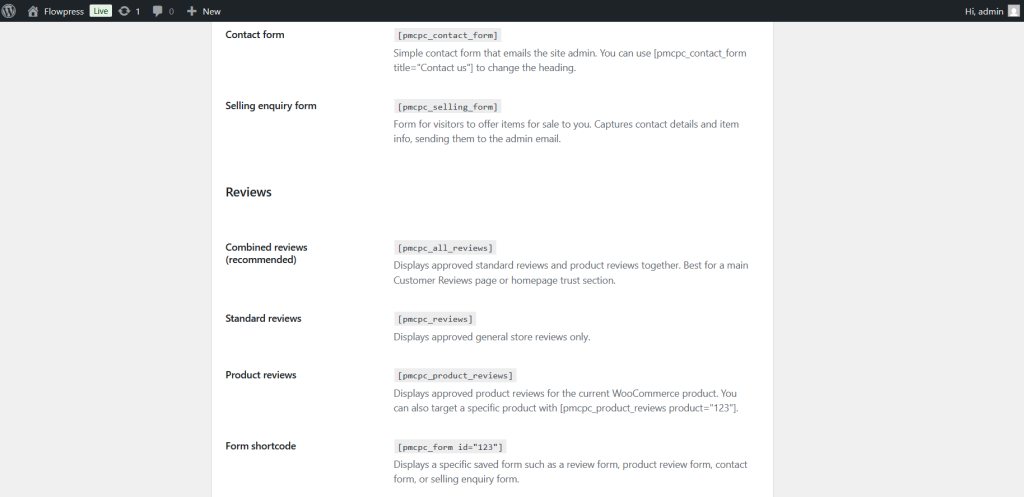
Advanced Settings
Advanced settings are for site-specific configuration and troubleshooting.
What this is for
Use Advanced Settings only when a setting is required for your website, support has advised it, or you understand the effect of the option.
How to use it
- Open FlowPress → Settings → Advanced.
- Read each option carefully before changing it.
- Change one setting at a time.
- Save changes and test the affected workflow.
- Run the Health Check if the change affects sending, publishing or integrations.
Useful tips
- Do not change advanced settings just to experiment on a live website.
- Keep a record of the previous value before changing important options.
- Use staging or a test site when possible.
Screenshots
Notes
- Advanced settings are best reviewed by an administrator who understands the website setup.