Documentation article

General Settings

General settings control the main FlowPress configuration used across the plugin.

What this is for

Use General Settings when setting up the plugin for the first time or when changing site-wide behaviour.

How to use it

  1. Open FlowPress → Settings.
  2. Review each general setting carefully.
  3. Update only the options that apply to your website.
  4. Save changes.
  5. Run a Health Check after major changes.

Useful tips

  • Make one group of changes at a time so issues are easier to trace.
  • Keep a note of any custom settings used for the live website.
  • Review settings after plugin updates.

Screenshots
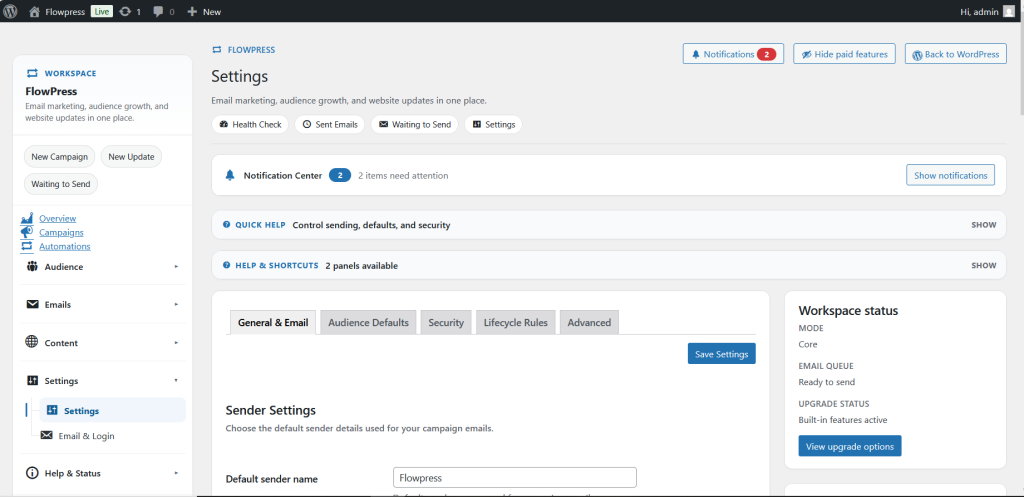
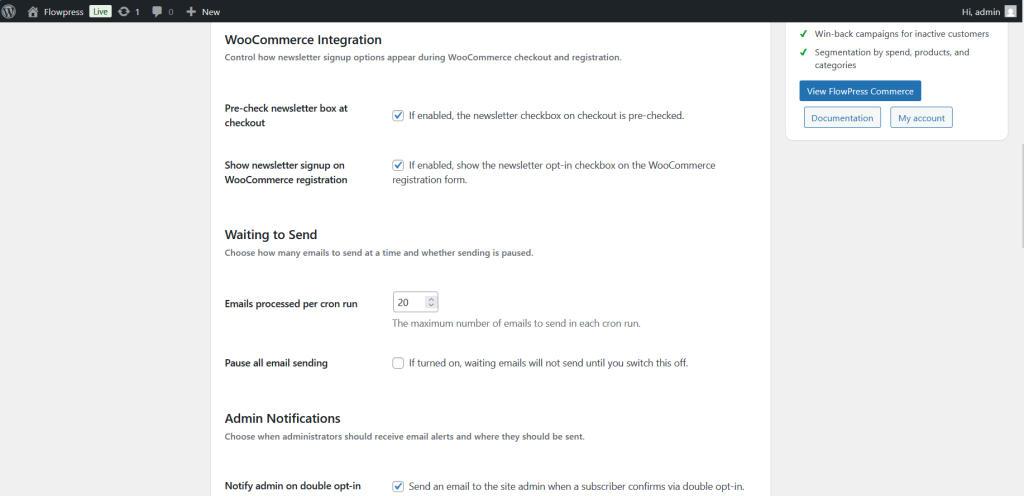
FlowPress screenshot: settings-1
General settings — screen 1.
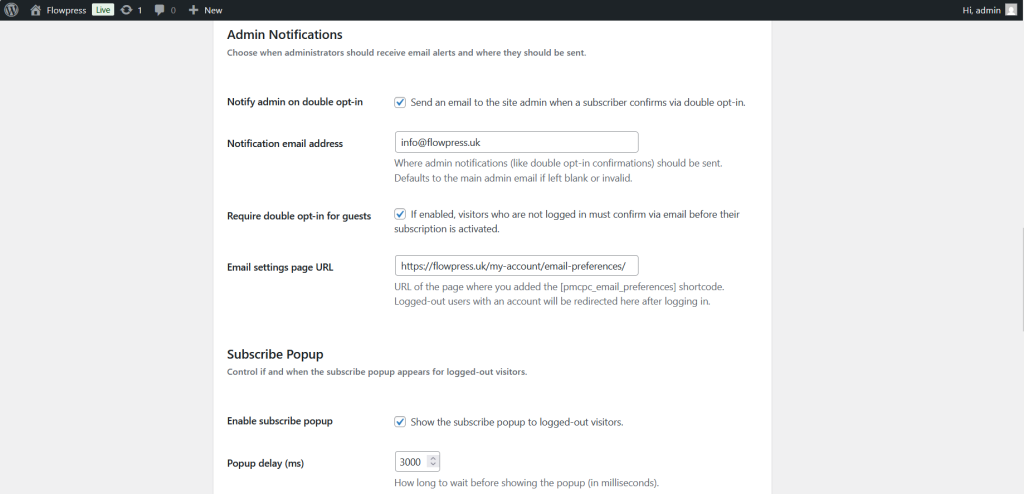
FlowPress screenshot: settings-2
General settings — screen 2.
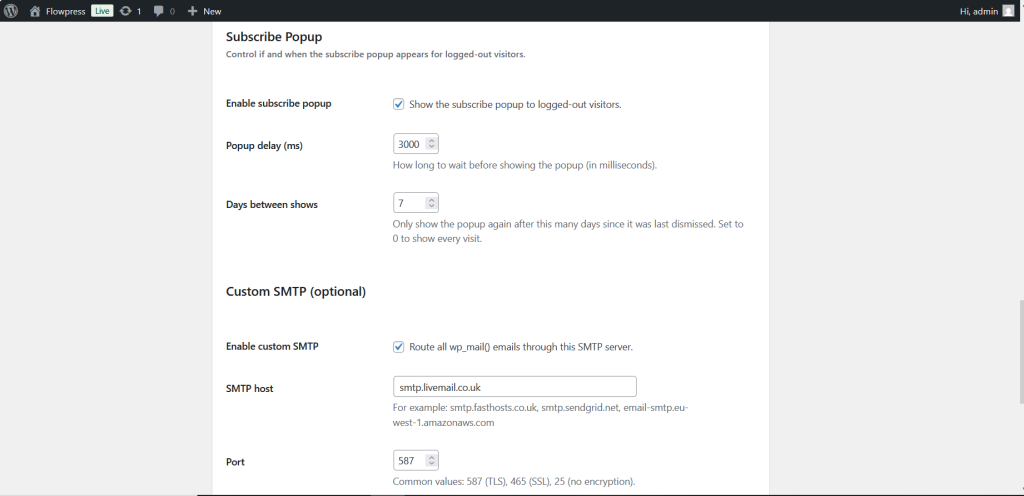
FlowPress screenshot: settings-3
General settings — screen 3.
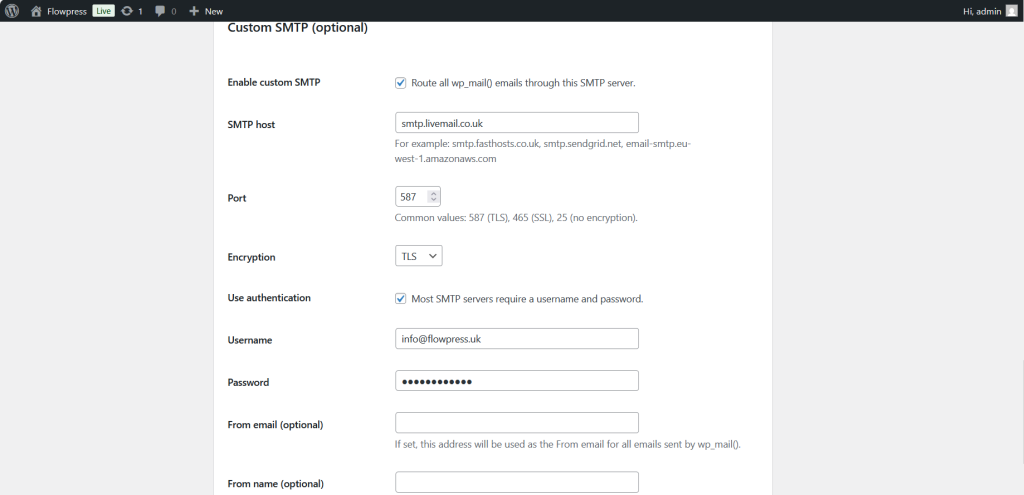
FlowPress screenshot: settings-4
General settings — screen 4.
FlowPress screenshot: settings-5
General settings — screen 5.
FlowPress screenshot: settings-6
General settings — screen 6.

Notes

  • Settings affect multiple FlowPress features, so test campaigns and forms after changing important options.

Documentation article

General Settings

General settings control the main FlowPress configuration used across the plugin.

What this is for

Use General Settings when setting up the plugin for the first time or when changing site-wide behaviour.

How to use it

  1. Open FlowPress → Settings.
  2. Review each general setting carefully.
  3. Update only the options that apply to your website.
  4. Save changes.
  5. Run a Health Check after major changes.

Useful tips

  • Make one group of changes at a time so issues are easier to trace.
  • Keep a note of any custom settings used for the live website.
  • Review settings after plugin updates.

Screenshots
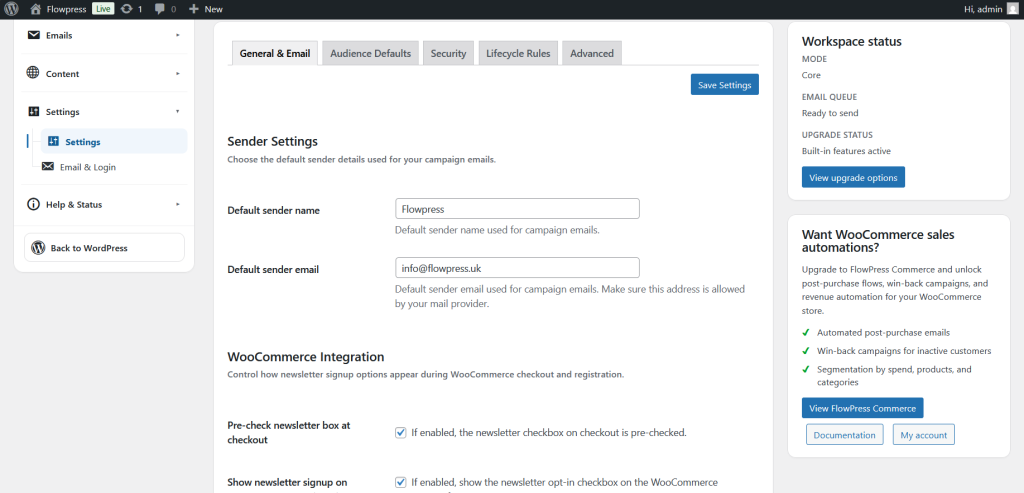
FlowPress screenshot: settings-1
General settings — screen 1.
FlowPress screenshot: settings-2
General settings — screen 2.
FlowPress screenshot: settings-3
General settings — screen 3.
FlowPress screenshot: settings-4
General settings — screen 4.
FlowPress screenshot: settings-5
General settings — screen 5.
FlowPress screenshot: settings-6
General settings — screen 6.

Notes

  • Settings affect multiple FlowPress features, so test campaigns and forms after changing important options.