Documentation article
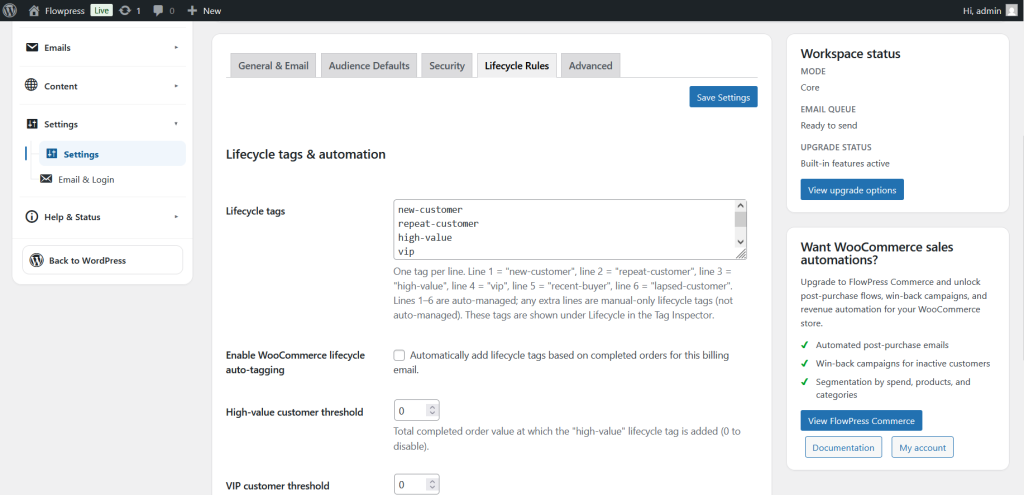
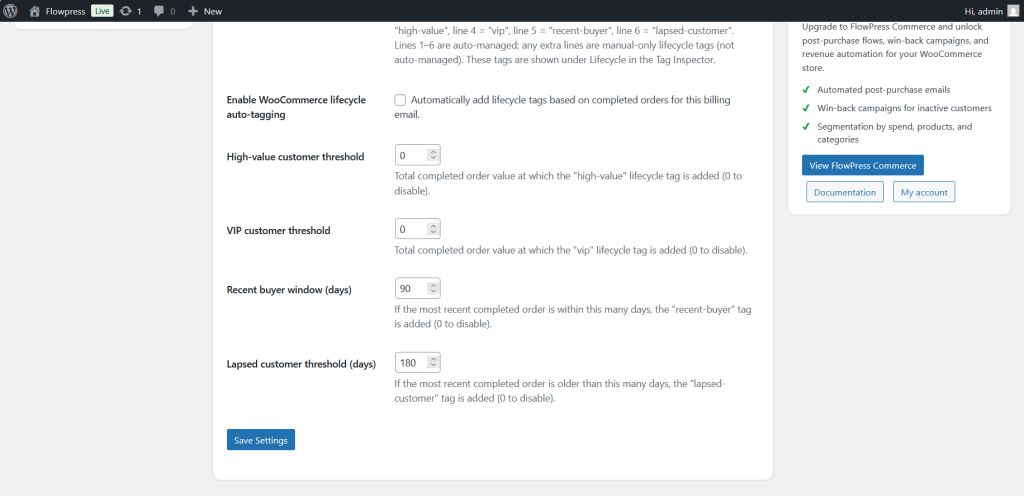
Lifecycle Rules
Lifecycle rules help define how subscriber or campaign states change over time.
What this is for
Use Lifecycle Rules to control status changes, retention behaviour and automated housekeeping where available.
How to use it
- Open FlowPress → Settings → Lifecycle Rules.
- Review the available lifecycle options.
- Adjust rules only when you understand the effect on subscribers or campaigns.
- Save changes.
- Monitor FlowPress activity after changing lifecycle behaviour.
Useful tips
- Lifecycle settings can have long-term effects, so avoid frequent changes.
- Use conservative settings when the mailing list is small or manually managed.
- Check related subscriber records after making changes.
Screenshots
Notes
- The imported article title corrects the screenshot filename spelling from 'Lifecycel' to 'Lifecycle'.