Documentation article
Signup Forms
Signup forms collect new subscribers from the website.
What this is for
Use forms to let visitors join your mailing list and receive FlowPress emails.
How to use it
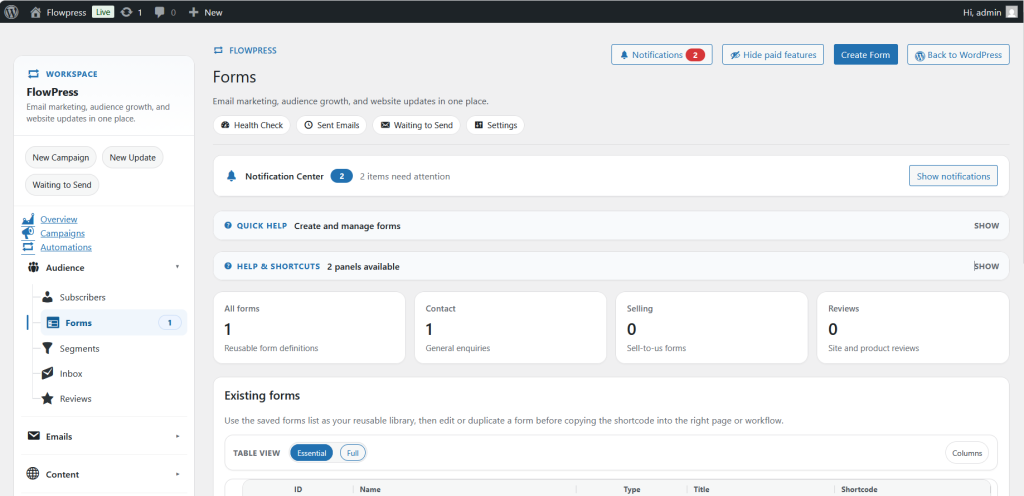
- Open FlowPress → Forms.
- Review existing forms and where they are used.
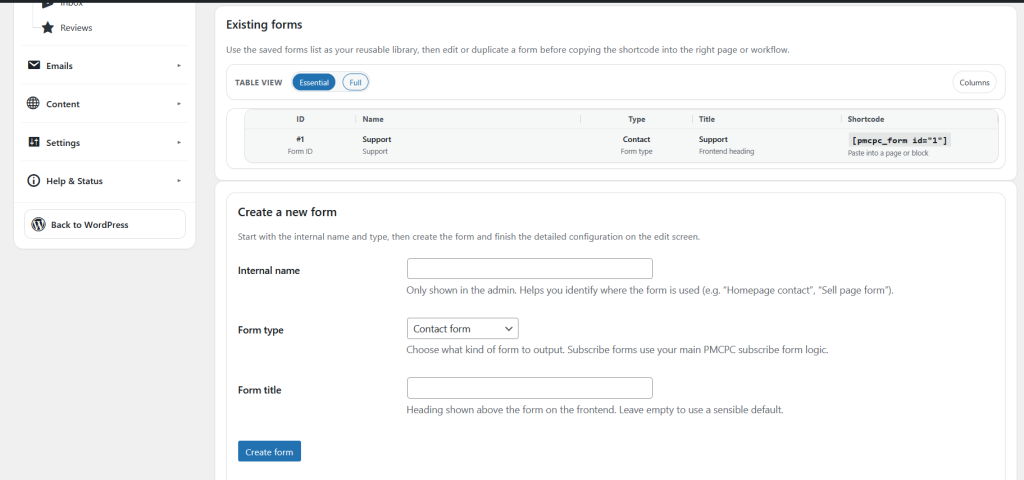
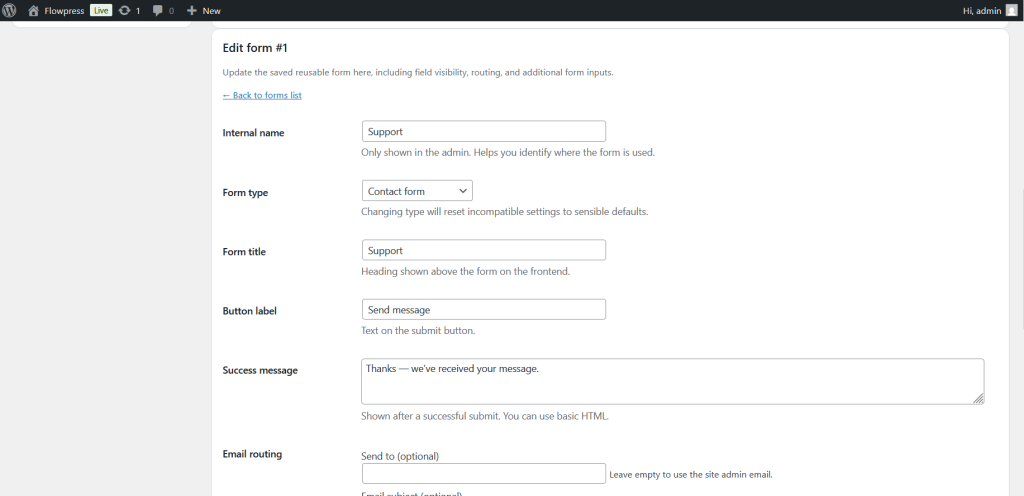
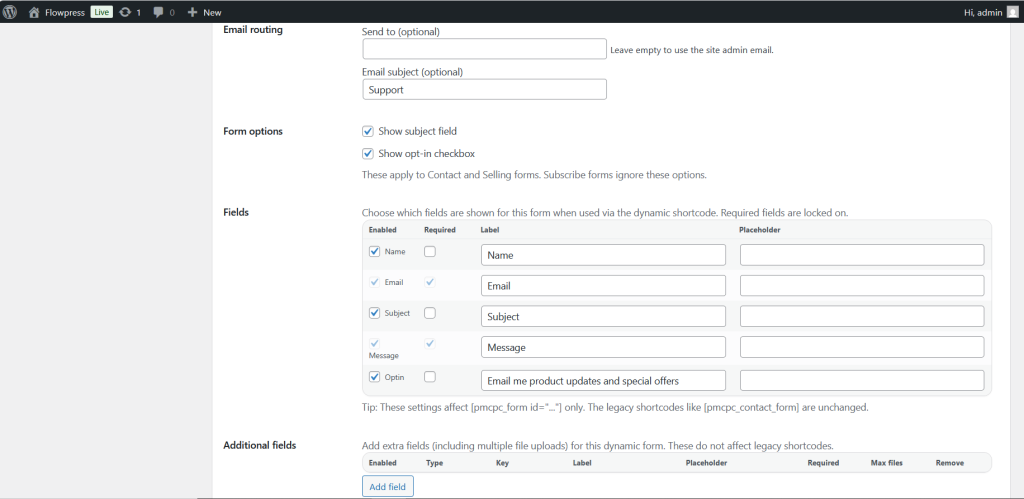
- Create or edit a form.
- Set the form title, fields, confirmation message and subscriber destination.
- Copy the form shortcode or embed method if available.
- Place the form on a suitable page, footer area or marketing landing page.
- Submit a test signup to make sure the subscriber is created correctly.
Useful tips
- Keep forms short so visitors are more likely to subscribe.
- Make the signup benefit clear near the form.
- Check that consent wording matches your email policy.
Screenshots
Notes
- After publishing a form, test it from the public website rather than only from the admin area.